We are Reader-supported: We earn commissions through links at no extra cost to you. Details.
Table of Contents
The Creative Revolution Is Here—And It’s Augmented by Intelligence(AI Design & Creativity Tools of 2025)
We’re living through the most profound transformation in the creative industries since the advent of desktop publishing. Artificial intelligence isn’t just automating tasks—it’s fundamentally reimagining what’s possible when human creativity meets computational power. As someone who’s tested, implemented, and pushed these tools to their limits across hundreds of projects, I can tell you this: the question is no longer whether to integrate AI into your creative workflow, but which tools will give you the unfair advantage your work deserves.
This guide cuts through the noise. No fluff, no marketing hype—just a curated, battle-tested analysis of the AI tools that are genuinely reshaping how we design, create, and bring ideas to life in 2025. Whether you’re a senior art director managing complex campaigns, a UI designer crafting pixel-perfect interfaces, or a content creator producing at scale, this resource will help you make informed decisions about the tools that deserve a place in your stack.
What You’ll Find Here: A comprehensive breakdown of the most impactful AI creative tools, organized by discipline and use case. Each recommendation is backed by real-world testing, with honest assessments of both strengths and limitations. Because the best tool isn’t the most powerful one—it’s the one that solves your specific problem.

Navigating the AI Creative Landscape: Understanding the New Paradigm
Before diving into specific tools, let’s establish a framework for understanding AI’s role in creative work. The most successful practitioners don’t view AI as a replacement for creativity—they see it as a creative co-pilot that amplifies human skill while accelerating iteration cycles.
Key AI Capabilities Transforming Creative Workflows
Generative Imagery: AI models can now produce professional-grade images from text descriptions, with control over style, composition, and detail that rivals human illustrators for certain applications.
Text-to-Video Generation: What once required production teams and weeks of work can now be prototyped in hours, enabling rapid concept testing and content creation.
AI-Assisted Design Systems: Intelligent tools that understand design principles can generate UI components, suggest layouts, and maintain consistency across entire product ecosystems.
3D Model & Asset Creation: The barrier to 3D content creation has collapsed, with AI transforming text or 2D images into production-ready 3D assets.
Creative Ideation & Content Generation: AI excels at breaking creative blocks, generating variations, and exploring conceptual territories that might take humans days to map manually.
The Critical Mindset Shift: These tools don’t replace the designer’s eye, the artist’s vision, or the director’s judgment. They compress the distance between concept and execution, allowing creatives to test more ideas, iterate faster, and spend their cognitive energy on the decisions that truly require human insight.
The Definitive Tool Arsenal: Best AI Tools of 2025 by Category
Category 1: All-in-One Creative Suites
These platforms offer integrated AI capabilities across multiple creative functions, ideal for teams seeking workflow consolidation and cross-functional collaboration.
Adobe Firefly (Integrated into Creative Cloud)
One-Sentence Value Proposition: The most seamlessly integrated AI creative suite for professionals already embedded in the Adobe ecosystem, offering production-ready outputs with enterprise-grade reliability.
Key Features & Strengths:
- Native integration within Photoshop, Illustrator, and Adobe Express eliminates workflow friction
- Text-to-image, generative fill, and vector generation trained on licensed Adobe Stock content, reducing copyright concerns
- Text effects and pattern generation specifically designed for brand and marketing applications
- Industry-leading content-aware tools that understand context and maintain design consistency
Ideal Use Case & User Profile: Perfect for professional design studios, in-house creative teams, and agencies managing client work where copyright clearance and seamless tool integration are paramount. If you’re already using Creative Cloud, Firefly represents the path of least resistance to AI-enhanced productivity.
Considerations / Limitations: Performance can lag during large-scale generative fills. Some users report that outputs, while consistent and professional, occasionally lack the creative “edge” found in specialized tools like Midjourney. The Creative Cloud subscription model means ongoing costs, though Firefly is included with existing paid plans.

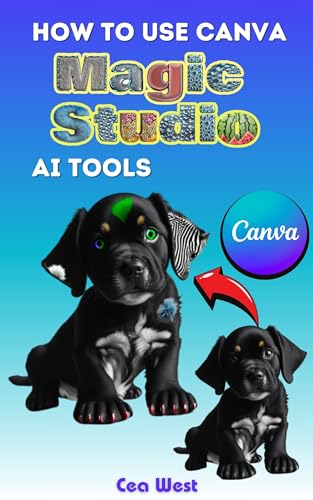
Canva AI (Magic Studio)
One-Sentence Value Proposition: The most accessible AI-powered design platform for non-designers and small teams needing rapid content creation across formats without a steep learning curve.
Key Features & Strengths:
- Magic Design generates complete templates from simple prompts or uploaded images
- Magic Write produces on-brand copy directly within design projects
- Magic Edit and Magic Eraser enable intuitive image manipulation without technical expertise
- Magic Resize automatically adapts designs across dozens of format specifications
- Extensive template library combined with AI creates a powerful foundation for fast execution
Ideal Use Case & User Profile: Ideal for social media managers, content marketers, small business owners, and lean creative teams producing high volumes of visual content across platforms. Particularly effective for those who need professional-looking outputs without professional design training.
Considerations / Limitations: While impressive for its accessibility, Canva AI produces templates that can feel formulaic to experienced designers. Customization depth is limited compared to professional tools. Best suited for content marketing and social media rather than complex brand system development or intricate illustration work.
Category 2: Premium Image Generation & Visual Ideation
When output quality and creative control matter most, these specialized image generation platforms lead the field.
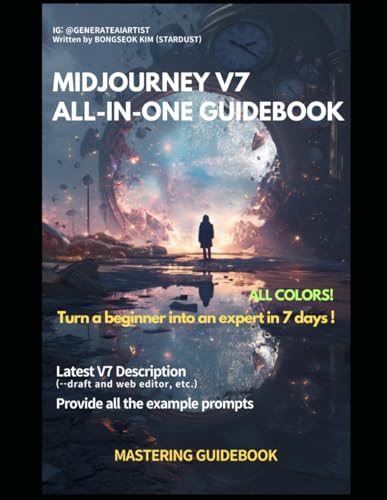
Midjourney v7
One-Sentence Value Proposition: The gold standard for stylized, emotionally resonant AI imagery, delivering unmatched aesthetic quality and artistic coherence for concept development and high-end visual ideation.
Key Features & Strengths:
- Version 7 (released April 2025) delivers stunning precision with richer textures and significantly improved coherence for hands, bodies, and complex objects
- Draft Mode generates images 10x faster at half the cost, revolutionizing rapid iteration workflows
- Model personalization learns your aesthetic preferences to deliver consistently aligned results
- V1 Video Model (June 2025) transforms still images into motion, generating four 5-second clips extendable to 21 seconds
- Omni Reference feature enhances logo, character, and object recognition for brand consistency
Ideal Use Case & User Profile: The weapon of choice for art directors, concept artists, creative directors, and brands prioritizing aesthetic impact. Perfect for mood boards, campaign ideation, visual identity exploration, and any work where emotional resonance matters as much as technical precision.
Considerations / Limitations: Requires Discord or web interface familiarity and includes a learning curve for prompt engineering. Subscription starts at $10/month for basic access. While dramatically improved, V7 still occasionally struggles with very specific technical accuracy (engineering diagrams, precise text rendering). Not ideal for users needing pixel-perfect control or exact photographic realism in every instance.
Stable Diffusion 3 (via platforms like Clipdrop)
One-Sentence Value Proposition: The most customizable and cost-effective enterprise image generation solution, offering unprecedented control through fine-tuning while maintaining commercial viability.
Key Features & Strengths:
- Open-source architecture allows complete customization and fine-tuning on proprietary datasets
- Clipdrop and similar platforms democratize access with user-friendly interfaces
- Advanced control over style, composition, and output parameters
- No per-generation cost when self-hosted, making it economical at scale
- Active community producing specialized models for specific use cases
Ideal Use Case & User Profile: Best for technical creative teams, enterprises with specific brand requirements, developers building AI-enhanced products, and organizations producing AI content at volume where per-generation costs become prohibitive.
Considerations / Limitations: Requires technical expertise to optimize and self-host effectively. Platform-based access (like Clipdrop) simplifies usage but reintroduces costs. Quality varies significantly based on model version and parameters. Learning curve is steeper than commercial alternatives.

DALL-E 3 (OpenAI / ChatGPT Integration)
One-Sentence Value Proposition: The most conversationally intuitive image generator, excelling at precise prompt interpretation and seamless integration with ChatGPT for iterative refinement through natural dialogue.
Key Features & Strengths:
- Deep integration with ChatGPT Plus enables conversational iteration and multi-turn optimization
- Exceptional text rendering within images, valuable for mockups and design concepts
- Strong safety and content moderation reduces risk of inappropriate outputs
- Generates images at resolutions up to 1024×1792 in multiple aspect ratios
- Trained on licensed and public domain content, offering stronger copyright positioning
Ideal Use Case & User Profile: Ideal for designers and marketers who value conversational workflows, need legible text in images (UI mockups, signage, posters), or require iterative refinement through dialogue. Perfect for those already using ChatGPT as a primary AI tool.
Considerations / Limitations: Access requires ChatGPT Plus subscription ($20/month) or API usage. In March 2025, DALL-E 3 was replaced in ChatGPT by GPT-4o’s native image generation for most users, though DALL-E 3 remains accessible. Some users find outputs more “literal” and less stylistically adventurous than Midjourney. Generation speed can be slower during peak usage.
Category 3: UI/UX & Web Design Assistants
AI is transforming interface design from time-intensive craft to rapid prototyping discipline—when used correctly.
Figma with AI Plugins
One-Sentence Value Proposition: The industry-standard design platform amplified by a powerful ecosystem of AI plugins that automate repetitive tasks, generate layouts, and bridge the design-to-development gap.
Key Features & Strengths:
- Magician Plugin: Generates UX copy, icons, and layout suggestions from natural language prompts directly in design files
- Relume AI: Transforms brief prompts into complete wireframes and structured layouts
- Automator (by Diagram): Automates design system maintenance, batch operations, and consistency enforcement
- Builder.io & Fronty: Convert designs into clean HTML, React, or CSS code with responsive breakpoints
- Native Figma community plugins offer specialized tools for accessibility (A11y AI), color (Khroma), and content generation
Ideal Use Case & User Profile: Essential for product designers, UI/UX professionals, and design systems teams working collaboratively. Particularly valuable for organizations maintaining large-scale design systems or those with tight designer-developer collaboration requirements.
Considerations / Limitations: Plugin quality varies significantly. Over-reliance on AI-generated layouts can produce generic interfaces lacking distinctive brand voice. Code export still requires developer review and refinement. Some premium plugins require separate subscriptions beyond Figma’s pricing.
Uizard
One-Sentence Value Proposition: Transforms sketches, screenshots, and prompts into interactive prototypes in seconds, democratizing UI design for non-designers while accelerating early-stage ideation for professionals.
Key Features & Strengths:
- Converts hand-drawn wireframes into digital prototypes through photo upload
- Screenshot-to-design transformation enables rapid competitive analysis and inspiration adaptation
- Text-to-UI generates complete screen layouts from brief descriptions
- Built-in collaboration tools and clickable prototype generation
- No design expertise required, making it accessible to product managers and developers
Ideal Use Case & User Profile: Perfect for startup founders, product managers, and early-stage teams needing to visualize concepts quickly without design resources. Also valuable for designers conducting rapid concept testing before committing to high-fidelity work.
Considerations / Limitations: Output quality suitable for wireframes and early prototypes but requires significant refinement for production-ready interfaces. Component flexibility limited compared to professional tools like Figma. Best used as ideation accelerant rather than final delivery tool.
Visily
One-Sentence Value Proposition: AI-driven wireframe and mockup generator specifically designed for non-designers to create professional-looking UI layouts from screenshots, sketches, or text descriptions.
Key Features & Strengths:
- Specialized in converting reference images into editable layouts
- Text-to-design functionality for rapid mockup generation
- Template library tailored for common UI patterns and flows
- Simplified interface prioritizes speed over granular control
Ideal Use Case & User Profile: Designed for product managers, business analysts, and non-technical stakeholders who need to communicate UI concepts visually. Particularly effective for early-stage mockups and client presentations.
Considerations / Limitations: Output quality appropriate for early-stage work but lacks polish for production handoff. Limited customization compared to professional design tools. Best for conceptual exploration rather than detailed interface design.
Category 4: AI for Video & Motion Graphics
Video creation has been democratized by AI, though truly professional results still require human direction.
Runway ML (Gen-3 Alpha & Gen-4)
One-Sentence Value Proposition: The industry-leading AI video platform delivering Hollywood-grade quality for text-to-video, image-to-video, and sophisticated video editing previously requiring professional post-production teams.
Key Features & Strengths:
- Gen-3 Alpha produces cinematic-quality videos from text or image prompts with exceptional temporal consistency
- Gen-3 Alpha Turbo offers 7x faster generation at half the cost for rapid iteration
- Gen-4 (March 2025) maintains consistent characters, objects, and environments across scenes using reference images
- Video-to-video transformation enables style transfer and creative reinterpretation of existing footage
- Act-One feature maps performances onto characters without motion-capture equipment
- Professional editing suite includes object removal, background transformation, and lighting adjustments
Ideal Use Case & User Profile: The definitive choice for video editors, filmmakers, advertising agencies, and content studios producing professional video content. Trusted by major studios and used in commercial productions. Essential for anyone treating AI video as a serious production tool rather than experimental novelty.
Considerations / Limitations: Credit-based pricing can become expensive for high-volume production (Gen-3 Alpha costs 10 credits per second). Learning curve exists for maximizing control features. Generation times still measured in minutes rather than seconds. Enterprise pricing required for teams. Despite quality improvements, output still occasionally requires traditional editing to meet broadcast standards.
Pika Labs
One-Sentence Value Proposition: Accessible text-to-video generation with strong motion control, offering a more approachable entry point to AI video than Runway while maintaining impressive output quality.
Key Features & Strengths:
- Intuitive prompt structure makes high-quality video generation accessible to beginners
- Strong camera motion control and cinematic effects
- Web-based interface requires no software installation
- Active community sharing techniques and inspiring examples
- More affordable pricing tier than Runway for individual creators
Ideal Use Case & User Profile: Ideal for social media creators, YouTube producers, marketers creating short-form content, and individual creatives exploring AI video without enterprise budgets.
Considerations / Limitations: While impressive, output quality and consistency trail Runway’s professional-grade results. Less suited for client-facing work requiring absolute polish. Video length limitations can require creative workarounds for longer narratives.

- Latest 8K Video Camera with Remote Control : This Video camera features 8K video resolution at 15FPS, with additional op…
- Experience Smooth and Stable Footage with Our 8K Camcorder : Featuring advanced 6-Axis anti-shake technology for high-pr…
- Infrared Night Vision Video Camera with WiFi : Stay connected and share your moments instantly with our 8K Camera’s buil…
$143.99
HeyGen
One-Sentence Value Proposition: The definitive solution for AI avatar creation and multilingual video translation, enabling scalable personalized video content without on-camera talent or studio production.
Key Features & Strengths:
- Creates photorealistic AI avatars from brief footage samples
- Multilingual voice cloning and lip-sync across 40+ languages
- Template-based video creation accelerates production for recurring content formats
- Text-to-speech with customizable avatar delivery
- Particular strength in corporate training, explainer videos, and localized content
Ideal Use Case & User Profile: Transformative for corporate L&D teams, global marketing organizations, educators, and any entity producing scripted video content at scale across multiple languages or personas.
Considerations / Limitations: Avatar realism impressive but not yet indistinguishable from human presenters—authenticity-dependent applications (personal vlogs, emotional storytelling) may feel uncanny. Requires careful scripting since spontaneity and improvisation aren’t possible. Ethics and disclosure considerations when using AI avatars in public-facing content.
Category 5: 3D & Asset Creation
The 3D revolution is here—AI has collapsed the technical barriers that once required years of specialized training.
Spline AI
One-Sentence Value Proposition: Browser-based 3D design tool with integrated AI generation capabilities, making interactive 3D creation accessible to designers without traditional 3D modeling expertise.
Key Features & Strengths:
- Text-to-3D model generation creates starting points for custom objects
- Web-based collaborative environment enables real-time teamwork
- Interactive 3D experiences exportable for web integration
- Intuitive interface designed for 2D designers transitioning to 3D
- No software installation or high-end hardware requirements
Ideal Use Case & User Profile: Perfect for web designers adding 3D elements to sites, product designers prototyping concepts, and marketing teams creating interactive experiences. Particularly valuable for those intimidated by traditional 3D software complexity.
Considerations / Limitations: Capability set limited compared to professional 3D software like Blender or Cinema 4D. Best for stylized or abstract 3D rather than photorealistic modeling. Complex projects may encounter performance limitations. Learning curve still exists despite simplified interface.
Kaedim
One-Sentence Value Proposition: Transforms 2D images into production-ready 3D models in minutes, dramatically compressing the asset creation timeline for game developers and 3D artists.
Key Features & Strengths:
- Upload 2D image, receive textured 3D model suitable for game engines and 3D applications
- Supports various export formats compatible with Unity, Unreal Engine, Blender, and Maya
- Significantly faster than traditional 3D modeling for certain asset types
- Particularly effective for hard-surface objects and props
Ideal Use Case & User Profile: Game developers needing rapid asset generation, indie studios with limited modeling resources, and 3D artists accelerating early-stage prototyping. Strong for concept visualization and placeholder assets.
Considerations / Limitations: Output quality varies based on input image clarity and object complexity. Often requires artist refinement for production-ready quality. Less effective for organic forms and characters than hard-surface objects. Subscription pricing may be prohibitive for hobby developers.
Masterpiece Studio
One-Sentence Value Proposition: End-to-end 3D character and asset creation platform powered by AI, from generation through animation, designed specifically for game developers and 3D animators.
Key Features & Strengths:
- Text-to-3D character generation creates rigged, animation-ready models
- Integrated animation tools accelerate character movement creation
- Export pipeline optimized for game engines and 3D animation software
- Growing library of customizable base models and animations
Ideal Use Case & User Profile: Designed for indie game developers, animation studios, and 3D content creators producing character-driven projects. Particularly valuable for teams without dedicated character artists.
Considerations / Limitations: Character quality suitable for indie games but may not meet AAA studio standards without significant artist refinement. Style tends toward specific aesthetics—achieving custom visual identity requires considerable customization. Subscription model and potential learning curve.

- Advanced Multi-Color Printing Technology – The FLASHFORGE AD5X 3D Printer features an innovative multi-color printing ca…
- Intelligent Filament System (IFS) – Equipped with the Intelligent Filament System, the AD5X ensures seamless filament ma…
- High-Speed Performance – With a maximum printing speed of 600mm/s and an impressive acceleration of 20,000mm/s, the FLAS…
$339.00
Category 6: Writing & Creative Ideation for Visual Creatives
AI writing tools aren’t just for writers—they’re essential co-pilots for creatives developing concepts, campaigns, and content strategies.
ChatGPT-4o (OpenAI)
One-Sentence Value Proposition: The most versatile AI assistant for creative professionals, excelling at brainstorming, strategic thinking, and multi-modal workflows that combine text, image, and conceptual development.
Key Features & Strengths:
- Multimodal capabilities combine text analysis, image generation (via integrated tools), and code generation in single conversations
- Superior reasoning and nuanced understanding for complex creative briefs
- Extended context window maintains coherence across long strategy documents and detailed projects
- Custom GPTs enable specialized assistants tailored to specific creative workflows
- Voice mode enables hands-free ideation and brainstorming
Ideal Use Case & User Profile: Essential for creative directors developing campaign strategies, designers needing conceptual depth, and any creative professional who views AI as thought partner rather than just execution tool. Particularly powerful for exploring conceptual territories and strategic frameworks.
Considerations / Limitations: Requires ChatGPT Plus subscription ($20/month) for GPT-4o access and best performance. Output quality highly dependent on prompt quality—generic inputs produce generic outputs. Occasional verbose responses require editing. Best combined with human expertise rather than used as autonomous solution.
Jasper AI
One-Sentence Value Proposition: Marketing-focused AI writing platform with brand voice customization, optimized for agencies and marketing teams producing high-volume, on-brand content across channels.
Key Features & Strengths:
- Brand voice training ensures consistent tone across all generated content
- Templates optimized for specific marketing formats (social posts, ads, product descriptions, email campaigns)
- Jasper Art integrates text-to-image generation within writing workflow
- Team collaboration features and campaign-based organization
- SEO optimization tools and content performance insights
Ideal Use Case & User Profile: Built for marketing teams, content agencies, and brands producing significant content volumes. Particularly effective for social media management, ad copywriting, and content marketing at scale.
Considerations / Limitations: Pricing starts at $39/month for individuals, scaling to $99+ for teams—higher than general-purpose alternatives. Marketing optimization means less versatile for technical or academic writing. Output quality strongest when provided with detailed brand guidelines and examples.
Copy.ai
One-Sentence Value Proposition: Affordable, user-friendly AI copywriting tool specializing in performance marketing copy, social media content, and rapid ideation for digital marketers.
Key Features & Strengths:
- Extensive template library covering most common marketing copy needs
- Lower price point than competitors while maintaining solid output quality
- Fast generation speeds suitable for high-volume content creation
- Multiple variations generated per prompt enable A/B testing
- Integrations with popular marketing tools
Ideal Use Case & User Profile: Perfect for solo marketers, small business owners, social media managers, and content creators needing consistent copy output without major budget investment.
Considerations / Limitations: Less sophisticated than premium alternatives for complex strategic work or nuanced brand voice. Templates can produce formulaic content without customization. Best suited for straightforward marketing applications rather than thought leadership or complex narratives.

Bestseller #3

Comparative Analysis: Top Image Generation Tools Head-to-Head
When choosing an image generation tool, understanding the trade-offs between quality, control, ease of use, and cost is critical. Here’s how the leading platforms compare:
| Criteria | Midjourney v7 | Stable Diffusion 3 | DALL-E 3 |
|---|---|---|---|
| Ease of Use | Moderate – Requires Discord/web platform familiarity and prompt engineering skills | Technical – Steep learning curve, especially for self-hosting and optimization | Excellent – Most intuitive through ChatGPT integration, conversational refinement |
| Output Quality | Exceptional – Industry-leading aesthetic quality, artistic coherence, and emotional resonance | Very Good – Highly variable based on model and parameters; excellent when optimized | Very Good – Consistent, professional results; strong text rendering; less stylistically adventurous |
| Customization/Control | Good – V7 adds personalization and reference controls; limited fine-grained technical control | Excellent – Maximum control through fine-tuning, model customization, and parameter adjustment | Moderate – Good conversational control but limited technical parameters |
| Pricing Tier | $10/month (Basic) to $60/month (Mega) | Free (self-hosted) to platform costs (e.g., Clipdrop $9/month); API costs variable | $20/month (ChatGPT Plus) or $0.02+ per image via API |
| Best For | Concept art, mood boards, stylized commercial work, brand identity exploration | Enterprise customization, high-volume production, specific brand style training | UI mockups with text, conversational workflows, marketing teams using ChatGPT |
Key Takeaway: Midjourney v7 wins for pure aesthetic impact and creative exploration. Stable Diffusion 3 excels when customization and cost control at scale matter most. DALL-E 3 offers the most intuitive experience for integrated workflows and precise text rendering.
Future Trends to Watch: The Next Wave of Creative AI
Understanding where these technologies are headed helps you make strategic tool investments today. Here are the transformative trends defining the latter half of 2025 and beyond:
1. True Multi-Modal Workflows: The Blurring of Creative Boundaries
The future isn’t specialized tools—it’s integrated platforms where you seamlessly move between text, image, 3D, video, and audio generation within a single project. Early examples include:
- Runway’s expansion from video into complete creative suites
- Adobe’s continued Firefly integration across all Creative Cloud applications
- OpenAI’s multimodal GPT-4o enabling text-image-voice workflows in single conversations
What This Means for Creatives: Expect tool consolidation. The winners will be platforms that eliminate context-switching and enable fluid movement between creative modalities. Start thinking about workflows that span multiple content types rather than siloed discipline-specific approaches.
2. Personalized AI Models: Your Brand, Your Style, Your Intelligence
Generic AI outputs are already becoming commoditized. The competitive advantage is shifting to custom models fine-tuned on proprietary assets:
- Brand-specific style models trained on approved visual identity guidelines
- Custom voice and writing models that authentically capture organizational tone
- Proprietary datasets enabling AI that understands your specific industry, products, or audience
What This Means for Creatives: Enterprises and established brands will increasingly invest in custom AI training. Freelancers and agencies offering AI fine-tuning services will command premium rates. The ability to train and customize AI becomes as valuable as traditional design skills.
3. Real-Time Co-Creation: AI as Active Collaborator, Not Batch Processor
Current tools operate on request-response cycles. The next generation responds in real-time as you create:
- AI that watches you sketch and offers suggestions mid-stroke
- Video AI that adjusts camera motion and composition as you describe scenes
- Design systems that intelligently adapt as you build components
What This Means for Creatives: The creative process becomes genuinely collaborative with AI acting as live studio assistant. Expect tools that feel less like software and more like working alongside a highly knowledgeable colleague. The feedback loop compresses from minutes to seconds.
4. AI-Powered Creative Analytics: Understanding What Works, Instantly
Emerging tools combine generative AI with predictive analytics:
- Pre-testing creative concepts against target audience preferences before production
- A/B testing thousands of variations automatically to find optimal performance
- Predictive scoring of creative work based on campaign objectives
What This Means for Creatives: The line between creative development and performance optimization disappears. Expect clients and stakeholders demanding AI-backed rationale for creative decisions. The ability to combine aesthetic judgment with data-informed iteration becomes table stakes.
5. Democratization Meets Specialization: The Paradox of AI Creativity
AI simultaneously makes creation more accessible to non-professionals and raises the bar for what “professional-grade” means:
- Non-designers producing competent marketing assets
- Professional designers focusing on strategic direction and brand distinctiveness
- The “messy middle” of generic execution becoming automated
What This Means for Creatives: Commodity creative work will continue to be compressed by AI. Premium value accrues to strategic thinking, brand understanding, and the irreplaceable human elements—taste, cultural awareness, emotional intelligence, and conceptual innovation. Adapt or be automated.
Conclusion: Your Creative Advantage Starts with Strategic Tool Selection
The AI creative revolution isn’t coming—it’s here, operational, and already reshaping competitive dynamics across every creative discipline. The question facing designers, artists, and creative leaders isn’t whether to adopt these tools, but how to integrate them strategically to enhance rather than diminish the human elements that make creative work valuable.
The Essential Truth: The best tool is not the most powerful one. It’s the tool that solves your specific problem, integrates with your existing workflow, and amplifies your unique creative perspective. An art director exploring brand identity needs Midjourney’s aesthetic depth. A product team shipping UI weekly needs Figma with AI plugins. A global marketing organization needs HeyGen’s multilingual scaling. A technical creative team wants Stable Diffusion’s customization potential.
Your Success Framework:
- Identify Your Constraint: Are you bottlenecked by ideation, execution speed, technical skill gaps, or production volume?
- Match Tool to Problem: Select tools based on constraint resolution, not feature lists or hype cycles
- Integrate Intentionally: Layer AI capabilities into existing workflows rather than forcing wholesale process changes
- Preserve Human Judgment: Use AI for exploration and acceleration; reserve final creative decisions for human expertise
- Iterate Relentlessly: The tools are evolving monthly—maintain experimental mindset and adapt as capabilities improve
Your Challenge: Take Action This Week
Here’s your assignment: Choose one tool from the category most relevant to your current creative challenges. Dedicate 30 focused minutes to experimenting with it on a real project—not a hypothetical exercise, but actual client or personal work where the output matters.
Don’t aim for perfection. Aim for understanding. How does it change your process? Where does it accelerate you? Where does it fall short? What new possibilities emerge?
The creatives who will thrive in 2025 and beyond aren’t necessarily the most technically skilled or artistically gifted—they’re the ones who learn fastest, adapt most fluidly, and understand how to orchestrate both human and artificial intelligence toward exceptional creative outcomes.
The future of creativity is augmented. Your move.
This guide represents a snapshot of the rapidly evolving AI creative landscape as of November 2025. Tools, features, and capabilities change frequently. For the latest updates and emerging tools, maintain active engagement with creative communities, follow platform changelogs, and never stop experimenting.
⭐ Customer Ratings
4.5 out of 5 stars (based on 2 reviews)
📝 Leave Your Review
📌 All Customer Reviews
IiCScybNtqgwbvjY
September 9, 2026
8819398276
No Title
May 10, 2026
ChatGPT 5 Tutorial: Complete Guide to Access and Master OpenAI’s Latest AI Model (2025)
Claude AI vs ChatGPT: Which Is Better in 2025?
NOTE: As an Amazon Associate, We earn from qualifying purchases