We are Reader-supported: We earn commissions through links at no extra cost to you. Details.
| USTopReviewsUpdated: June 1, 2026 | Expert Review | Affiliate Disclosure |
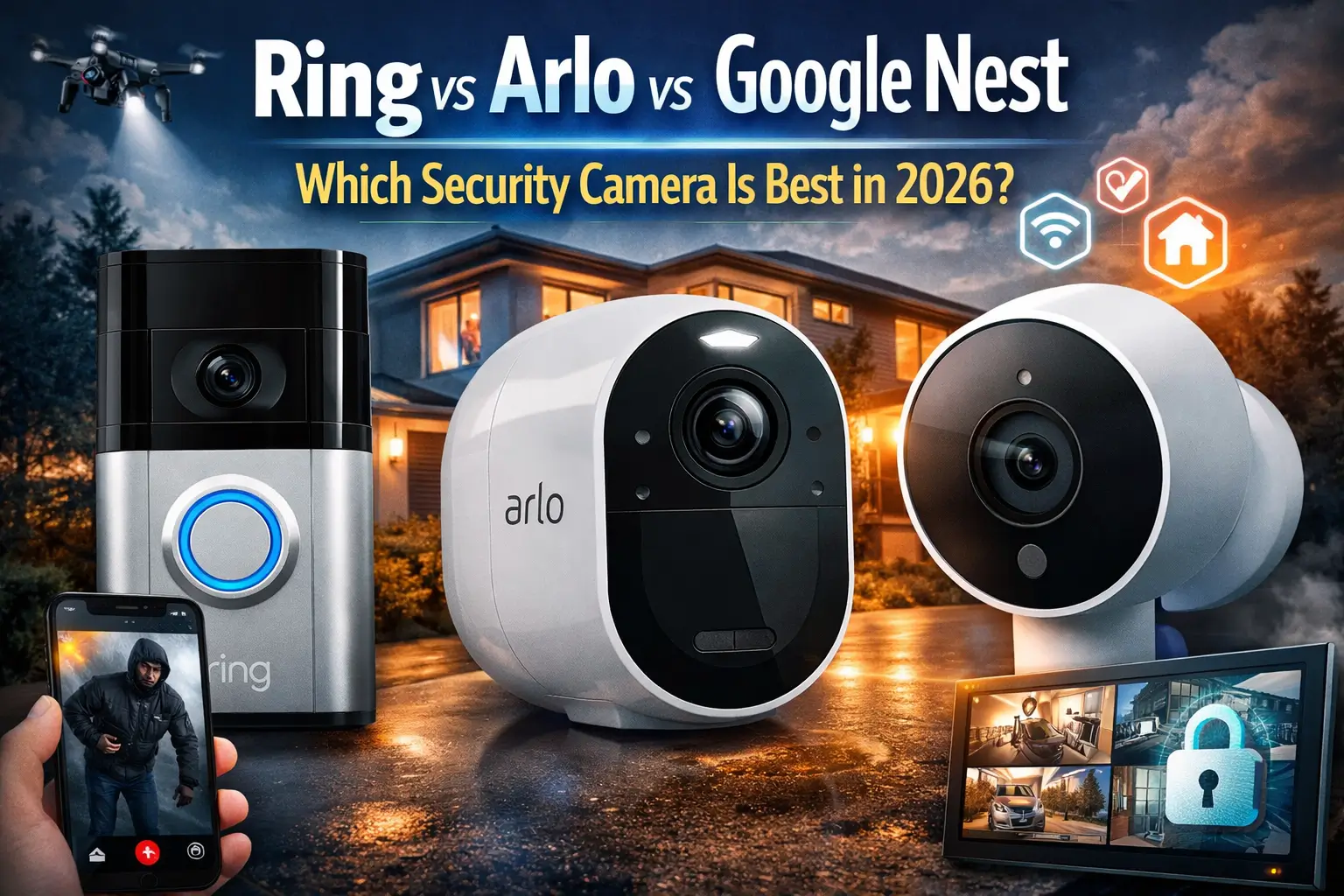
Ring vs Arlo vs Google Nest
Smart home security has entered a new era. In 2026, protecting your home no longer means complicated wiring, expensive professional installation, or grainy footage. Today’s best security cameras combine ultra-high-definition video, AI-powered detection, seamless voice assistant integration, and remote monitoring — all accessible from a smartphone. The global smart home security market continues to surge, driven by rising concerns about property crime, package theft, and the desire for greater peace of mind.
Three brands dominate the consumer smart security camera space: Ring (owned by Amazon), Arlo, and Google Nest. Each offers a distinct ecosystem with different hardware strengths, subscription models, and smart home integrations. Whether you want the simplest DIY setup, the sharpest video quality, or the deepest integration with Google’s AI platform, one of these brands has the answer — but choosing the right one depends entirely on your priorities.
In this in-depth comparison, we evaluate the latest 2026 models from Ring, Arlo, and Google Nest across every dimension that matters: video quality, AI smarts, installation, subscription costs, and real-world performance. Our goal is to give you clear, unbiased guidance so you can invest confidently in your home’s security.
Quick Comparison Table
The table below compares the flagship and most popular models from each brand as of June 2026.
| Camera Model | Resolution | Field of View | Smart Assistant | Price Range | Best For |
| Ring Spotlight Cam Pro | 2K / 4K Retinal | 140° | Alexa | $229–$279 | Amazon/Alexa homes; outdoor security |
| Ring Indoor Cam (2nd Gen) | 1080p HD | 115° | Alexa | ~$60 | Budget indoor monitoring |
| Ring Floodlight Cam Pro | 4K Retinal | 140°+ | Alexa | $279.99 | Large outdoor areas; deterrence |
| Arlo Pro 6 (6th Gen) | 2K HDR | 160° | Alexa / Google / HomeKit | ~$180–$220 | Multi-platform smart homes; advanced detection |
| Arlo Ultra 2 | 4K HDR | 180° | Alexa / Google / HomeKit | $299.99 | Maximum coverage & video clarity |
| Arlo Essential (3rd Gen) | 2K | 130° | Alexa / Google / HomeKit | ~$99–$130 | Budget-friendly whole-home coverage |
| Google Nest Cam Indoor (3rd Gen) | 2K HDR | 152° | Google / Alexa | ~$99 | Google ecosystem; Gemini AI |
| Google Nest Cam Outdoor (2nd Gen) | 2K HDR | 130° | Google / Alexa | ~$150 | Outdoor AI monitoring; Google homes |
| Google Nest Cam w/ Floodlight | 1080p / 2K | 130° | Google / Alexa | $279.99 | Outdoor floodlight + facial recognition |
Our Top Picks
Before diving into detailed reviews, here is a quick summary of where each brand and model shines:
| 🏆 Best Overall — Ring Spotlight Cam ProRing’s 4K Retinal Vision, robust AI Unusual Event Alerts, 3D radar motion detection, and deep Alexa integration make it the most balanced outdoor security camera of 2026. Its expanding Ring Appstore ecosystem gives it unmatched flexibility. ASIN: B09WZBPX7K (Spotlight Cam Pro battery) |
| 🔗 Best for Smart Home Integration — Arlo Pro 6Arlo is the only brand to support Alexa, Google Assistant, and Apple HomeKit simultaneously — making it the top choice if your home mixes ecosystems. The 2K HDR video, 160° view, color night vision, and 15% longer battery life make the Pro 6 a premium performer. ASIN: B0CQMJK5M1 (Arlo Pro 6) |
| 🤖 Best for AI & Privacy — Google Nest Cam (3rd Gen)Gemini-powered intelligent alerts, natural-language video search (‘What happened to the vase?’), facial recognition, and real-time event summaries make Nest the most AI-forward choice in 2026. Google Home Premium covers unlimited cameras for $10/month. ASIN: B0CX2CB9ZW (Nest Cam Indoor 3rd Gen) |
| 💰 Best Budget Option — Ring Indoor Cam (2nd Gen) / Arlo Essential (3rd Gen)At around $60, the Ring Indoor Cam (2nd Gen) is the most affordable path into a solid security ecosystem. For outdoor budget coverage, the Arlo Essential 3rd Gen offers upgraded 2K resolution for around $99. ASIN: B08CKHBB8T (Ring Indoor Cam 2nd Gen) |
Detailed Product Reviews
Ring Security Cameras — Full Review
Amazon’s Ring brand has become synonymous with DIY home security, and the 2026 lineup represents its most significant leap forward yet. With the introduction of Retinal 4K video, expanded AI capabilities, and the upcoming Ring Appstore, Ring is no longer just a doorbell company — it is a full home security ecosystem.
Key 2026 Models
Ring Indoor Cam (2nd Gen):
Ring Stick Up Cam Pro (Battery):
Ring Spotlight Cam Pro (Battery):
Ring Floodlight Cam Pro (Wired):
Ring Outdoor Camera Pro:
Video Quality
Ring’s headline feature for 2026 is Retinal 4K — capturing at 3840×2160 pixels, delivering four times the detail of 1080p HD. This matters enormously for identifying faces, reading license plates, or zooming into distant corners of your property without losing clarity. Standard Ring cameras remain at crisp 1080p or 2K, giving budget buyers excellent quality, while Pro models give security enthusiasts state-of-the-art imaging. Color night vision (Low-Light Sight) on Pro models ensures footage remains rich and actionable after dark.
AI & Smart Features
The most transformative Ring upgrade of 2026 is AI Unusual Event Alerts. Rather than pinging you every time a car passes or a branch sways, Ring’s cameras learn the normal rhythms of your property and alert you only when something genuinely anomalous occurs. This behavioral modeling — borrowed from enterprise-grade security — finally solves the alert fatigue problem that has plagued smart cameras for years.
Ring is also expanding Active Warnings, an on-camera audio deterrent. When the camera detects a person approaching a gate or driveway, it can automatically play a context-aware warning message before the person even reaches your front door. For subscribers to Ring’s Virtual Security Guard service, a live human agent can also respond in real time.
The Ring Appstore (launching Spring 2026) introduces third-party AI apps such as PoolScout (child drowning prevention), Meld (pet behavior monitoring), and home maintenance tools. This extensible ecosystem is a major competitive differentiator.
Ring also announced Fire Watch — a community-based wildfire detection system built into the Neighbors section of the Ring app — providing real-time wildfire warnings and community-reported updates from Ring camera owners in affected areas.
Smart Home Integration
Ring is deeply embedded in Amazon’s ecosystem. All cameras natively support Amazon Alexa, allowing you to view live footage on Echo Show displays, receive Alexa voice alerts, and trigger Ring cameras as part of Alexa routines. Ring does not support Apple HomeKit or Google Assistant natively, making it best suited for households already invested in Amazon’s smart home products.
Installation & Ease of Use
Ring has built its reputation on hassle-free DIY installation. Battery-powered models can be placed almost anywhere without wiring. Wired models like the Floodlight Cam Pro require connecting to existing outdoor wiring — a 30-minute job for most DIYers. The Ring app is well-designed, with straightforward camera setup, motion zone customization, and clear subscription management. Camera placement is important: Ring recommends positioning outdoor cameras 7–10 feet high for optimal angle and coverage.
Subscription Plans
Ring Basic: $4.99/month per camera — 180 days of cloud video history, person detection
Ring Home Standard: $9.99/month — unlimited cameras in one location, extended features
Ring Home Premium: $19.99/month — 24/7 professional monitoring, unlimited cameras, all features
Ring’s 180-day video history is the longest in this comparison — a significant advantage for reviewing incidents that occurred weeks ago. Importantly, some advanced features like AI Unusual Event Alerts require a subscription.
Ring Pros & Cons
- ✔ Retinal 4K on Pro models — best-in-class video detail
- ✔ AI Unusual Event Alerts reduce nuisance notifications significantly
- ✔ 180-day video storage — longest cloud history of the three brands
- ✔ Ring Appstore brings extensible third-party AI functionality
- ✔ Large range of models from $60 indoor to $999 Elite commercial units
- ✔ Deep, seamless Amazon Alexa integration
- ✗ No Apple HomeKit or Google Assistant support
- ✗ Advanced AI features require paid subscription
- ✗ Privacy concerns around Amazon’s data practices and Neighbors network
- ✗ Elite models ($499–$999) are prohibitively expensive for most consumers
Ideal For
Ring is the best choice for Amazon and Alexa users, households wanting the longest cloud storage history, and anyone who values an extensible ecosystem that will grow via the Ring Appstore. It’s also the most accessible entry point for budget buyers with the $60 Ring Indoor Cam (2nd Gen).
Arlo Security Cameras — Full Review
Arlo has earned a reputation as the premium, no-compromise security camera brand. In 2026, the company’s standout advantage is its triple smart assistant support — the only brand in this comparison to work natively with Amazon Alexa, Google Assistant, AND Apple HomeKit simultaneously. This makes Arlo uniquely appealing to mixed-ecosystem households.
Key 2026 Models
Arlo Essential Indoor (3rd Gen): $39.99 | ASIN: B0B8YDVJDP | 1080p | Easy plug-in indoor setup
Arlo Essential Outdoor (3rd Gen): ~$99–$130 | 2K | 130° FOV | IP65 weather-resistant | Built-in battery
Arlo Pro 5S 2K: ~$89–$180 | ASIN: B09MNG99X6 | 2K HDR | 160° FOV | Dual-band Wi-Fi | Color night vision
Arlo Pro 6 (6th Gen): ~$180–$220 | ASIN: B0CQMJK5M1 | 2K HDR | 160° FOV | 15% longer battery | USB-C | IP65
Arlo Ultra 2: $299.99 | ASIN: B08HMWZBXS | 4K HDR | 180° FOV | SmartHub required | Color night vision
Arlo Wireless Floodlight Camera: $249.99 | 2K HDR | 3000-lumen floodlights | IP65 | Integrated siren
Video Quality
Arlo’s video quality is its defining strength. The Pro 6’s 2K HDR video delivers exceptionally detailed footage even in challenging lighting — bright doorways, shadowed driveways, and dappled sunlight all render with visible clarity. HDR (High Dynamic Range) prevents the over- or under-exposed frames that plague lesser cameras. For those who demand the absolute maximum, the Ultra 2’s 4K HDR with a 180-degree field of view is the widest and sharpest option in the consumer market, able to capture details — shirt color, car make and model, facial features — that 2K cameras can miss.
AI & Smart Features (Arlo Intelligence)
Arlo Intelligence is the brand’s cloud-based AI platform. In testing, person detection accuracy exceeded 90%, with reliable identification of vehicles, animals, and packages as well. Animated preview notifications show you what triggered motion directly on your lock screen — a feature that sounds minor until you realize how much time it saves throughout the day. The Arlo Pro 6 features advanced AI detection that reduces false alerts by approximately 70% compared to basic motion detection models, according to real-world testing.
One important caveat: Arlo Intelligence is internet-dependent. If your connection drops, AI features go offline. Cloud access also requires an Arlo Secure subscription to unlock object detection and cloud storage.
Smart Home Integration
This is Arlo’s standout advantage. No other brand in this comparison simultaneously supports Amazon Alexa, Google Assistant, and Apple HomeKit. For households with a mix of Apple, Google, and Amazon devices — or anyone who may switch ecosystems in the future — Arlo offers unmatched flexibility. Arlo cameras can be controlled via voice on any platform and integrated into complex multi-device automations.
Installation & Ease of Use
Arlo cameras are wireless-first, with magnetic mounts that make repositioning effortless. The Arlo Secure App guides users through setup in minutes. Unlike Ring’s Stick Up Cam, where some features (like motion zones) require a wired connection, Arlo’s wireless cameras provide a consistent feature set regardless of power source. An optional Arlo SmartHub (separate purchase, ~$99) adds local storage via microSD, reduces Wi-Fi congestion, and extends battery life — a worthwhile investment for multi-camera setups. Professional installation is available via OnTech for those who prefer not to DIY.
Subscription Plans
Arlo Secure (per camera): ~$4.99–$7.99/month — 30 days cloud storage, person/package/vehicle detection
Arlo Secure (unlimited cameras): ~$12.99/month — all cameras in one plan, 30 days storage
Arlo Secure Plus: ~$17.99/month — 60 days storage, professional monitoring, emergency response
Arlo’s cloud storage caps at 60 days, which is shorter than Ring’s 180-day limit but longer than Nest’s default 30-day Standard plan. Arlo’s subscription pricing is slightly higher than Ring’s, but competitive given the advanced features unlocked.
Arlo Pros & Cons
- ✔ Only brand supporting Alexa + Google Assistant + Apple HomeKit simultaneously
- ✔ Exceptional 2K HDR and 4K HDR video quality with true HDR processing
- ✔ IP65/IP67 weather resistance — among the most durable in the consumer space
- ✔ Arlo Intelligence AI achieves 90%+ person detection accuracy in testing
- ✔ Flexible power options: battery, solar, wired, PoE (Pro/Elite models)
- ✔ Optional local SmartHub storage reduces dependency on cloud
- ✗ Higher upfront cost than Ring and Nest at equivalent tiers
- ✗ AI features entirely cloud-dependent — no offline intelligence
- ✗ Cloud history shorter than Ring (60 days max vs Ring’s 180 days)
- ✗ Ultra 2 requires a SmartHub — adds cost and complexity
Ideal For
Arlo is the best choice for mixed-ecosystem smart homes (Apple + Google + Amazon), users who prioritize video quality and HDR performance, and security-conscious buyers who want IP65-rated durability. It’s the premium pick for those willing to pay more for the most versatile hardware.
Google Nest Cameras — Full Review
Google Nest brings the power of Google’s AI platform — and in 2026, Google’s Gemini AI — directly into home security. The result is the most conversational, contextually aware camera experience of the three brands. Nest cameras don’t just detect motion; they understand what they see and can answer natural language questions about your video history.
Key 2026 Models
Nest Cam Indoor Wired (3rd Gen): ~$99 | ASIN: B0CX2CB9ZW | 2K HDR | 152° FOV | Gemini AI | Indoor only
Nest Cam Outdoor Wired (2nd Gen): ~$150 | ASIN: B0CX2D4H5C | 2K HDR | 130° FOV | IP65 | Weather-resistant
Nest Cam (Battery): ~$180 | 1080p | 130° FOV | IP54 | Indoor/Outdoor | Wireless flexible
Nest Cam with Floodlight (Wired): $279.99 | ASIN: B09NQMN6SH | 2K+ | 130° FOV | IP65 | Facial recognition w/subscription
Nest Doorbell (Wired, 3rd Gen): ~$179.99 | 2K HDR | Package detection | Facial recognition | Gemini alerts
Video Quality
The latest Nest Cam (3rd Gen) wired models now deliver 2K HDR video — a meaningful upgrade over previous 1080p generations. The new cameras offer a wider, taller field of view (152° on the indoor model) so you can see more of a hallway or room in a single frame. Night vision performance has improved significantly in the latest generation, with richer color detail in low light. Battery-powered Nest Cam models retain 1080p resolution, which is adequate for most monitoring needs but falls behind Arlo’s 2K battery options.
AI & Smart Features (Gemini for Home)
Nest’s 2026 Gemini-powered features are genuinely revolutionary for consumer security cameras. Google Home Premium subscribers can search their video history using natural language queries — asking questions like ‘When was the trash picked up this week?’ or ‘Who opened the garage door on Friday?’ rather than manually scrubbing through footage. Daily camera event summaries provide a morning briefing of overnight activity without requiring any video review.
Person detection and facial recognition are built into Nest cameras. After learning the faces of household members, Nest delivers personalized alerts: rather than ‘Person detected,’ you see ‘Alex holding flowers.’ For unfamiliar visitors, Nest flags the unknown face and prompts you to identify them. This contextual intelligence is the deepest of the three brands.
Nest Aware is now rebranded as Google Home Premium, offering a 30-day trial with new camera purchases. The Standard plan covers unlimited cameras in your home for $10/month — the most cost-effective multi-camera subscription of the three brands.
Smart Home Integration
Nest cameras are deeply integrated with the Google Home ecosystem — Google Assistant, Chromecast, and now Gemini AI. You can livestream footage on any Nest Hub or Google TV device with a simple voice command. Nest cameras also support Amazon Alexa and Fire TV for cross-ecosystem flexibility. However, Apple HomeKit is not supported, making Nest a poor fit for Apple-first households.
Installation & Ease of Use
Wired Nest cameras are among the easiest to install — scan the QR code in the Google Home app, connect to Wi-Fi, and you’re live in minutes. Magnetic mounting options make positioning flexible. The Google Home app (replacing the legacy Nest app) provides a clean, well-organized interface for managing cameras, viewing clips, and adjusting alert settings. The transition to the Google Home app from the Nest app has improved over time, though some users report minor inconsistencies as Google continues to migrate features. Battery Nest Cams add placement flexibility anywhere outdoors, though the IP54 rating on the battery model is less robust than the IP65 of wired models.
Subscription Plans
Google Home Premium Standard: $10/month or $100/year — 30 days event history, facial recognition, AI alerts, ALL cameras included
Google Home Premium Advanced: $20/month or $200/year — 60 days event history, 10 days continuous recording (wired only), Gemini video search
Google Home Premium’s key advantage is its unlimited-camera pricing. Ring charges per camera at lower tiers, while Arlo’s unlimited plan costs $12.99/month. Nest’s $10/month Standard plan covering all your cameras is the best value for multi-camera households. No local storage option is available — a meaningful limitation for privacy-focused users.
Nest Pros & Cons
- ✔ Gemini AI: natural-language video search and daily event summaries in 2026
- ✔ Facial recognition included with Google Home Premium subscription
- ✔ Most cost-effective subscription for multi-camera homes ($10/month unlimited)
- ✔ 2K HDR on new wired models — sharper and wider than previous generation
- ✔ Deepest Google/Assistant ecosystem integration; Chromecast streaming
- ✔ Free basic live-view and motion alerts without subscription
- ✗ No Apple HomeKit support
- ✗ No local storage on any Nest camera (cloud-only)
- ✗ Battery Nest Cam only rated IP54 — less weather-resistant than competitors
- ✗ Transition from Nest app to Google Home app still bumpy for some users
- ✗ Continuous 24/7 recording only available on wired cameras with Advanced plan
Ideal For
Google Nest is the top choice for Google ecosystem users, households invested in Google Assistant or Chromecast, and anyone who wants the most advanced AI camera experience in 2026. It’s also the best value for multi-camera setups thanks to its unlimited-camera subscription pricing.
Pros & Cons Ecosystem Comparison
| Category | Ring | Arlo | Google Nest |
| Video Quality | 4K Retinal (Pro); 1080p–2K (standard) | 2K HDR (Pro 6); 4K HDR (Ultra 2) | 2K HDR (wired 3rd gen); 1080p (battery) |
| AI Features | AI Unusual Event Alerts; Active Warnings; Fire Watch | Arlo Intelligence; 90%+ person detection; animated previews | Gemini: NL video search; daily summaries; facial recognition |
| Smart Assistant | Alexa only | Alexa + Google + HomeKit | Google + Alexa (no HomeKit) |
| Subscription | $4.99/cam/mo; 180-day history | $12.99/mo unlimited; 60-day history | $10/mo unlimited; 30–60 day history |
| Local Storage | No | Yes (SmartHub + microSD) | No |
| Weather Rating | IP65 (outdoor models) | IP65–IP67 (most models) | IP65 (wired); IP54 (battery) |
| Entry Price | ~$60 (Indoor Cam 2nd Gen) | ~$39.99 (Essential Indoor) | ~$99 (Nest Cam Indoor Wired) |
| Ecosystem Lock-in | High (Amazon/Ring) | Low (all platforms) | Medium (Google-first) |
Buying Guide: How to Choose a Security Camera
With so many options available, it helps to clarify your priorities before making a purchase. Here are the key factors to weigh:
Indoor vs Outdoor Cameras
Indoor cameras are typically smaller, more discreet, and optimized for monitoring interior spaces like living rooms, nurseries, or home offices. Outdoor cameras must withstand rain, temperature extremes, and UV exposure — look for an IP65 or higher weather-resistance rating. Many models (like the Arlo Pro 6 and Ring Stick Up Cam Pro) are rated for both indoor and outdoor use.
Wired vs Wireless Systems
Wired cameras offer uninterrupted power and (in many cases) richer feature sets — motion zones, continuous recording, and PoE (Power over Ethernet) options. Wireless/battery cameras offer placement flexibility and simpler installation, but require regular recharging (or a solar panel accessory). For critical coverage points like front doors and driveways, a wired or plug-in connection is generally preferable.
Video Quality
1080p HD is sufficient for recognizing people at close range. 2K adds meaningful detail for reading license plates or identifying faces at distance. 4K is overkill for most indoor applications but genuinely valuable for wide outdoor areas where you might zoom in on footage digitally. HDR (High Dynamic Range) is a practical upgrade that handles bright-and-dark mixed scenes — typical for doorways and driveways — far better than standard cameras.
Night Vision
All cameras in this comparison offer night vision, but the quality varies significantly. Color night vision (available on Arlo Pro 6, Ring Spotlight Cam Pro, and Nest Cam wired models) provides far more actionable footage than traditional black-and-white infrared. If nighttime identification of people or vehicles is a priority, prioritize cameras with color night vision and integrated spotlights.
Smart Home Compatibility
If you use Amazon Echo devices, Ring’s deep Alexa integration makes it the natural choice. Google Nest cameras pair seamlessly with Google Home, Chromecast, and Gemini AI. Arlo is the only brand supporting all three major platforms simultaneously — essential for mixed-ecosystem homes or anyone planning to switch platforms. Apple HomeKit users should choose Arlo exclusively; neither Ring nor Nest supports HomeKit.
Cloud Storage Costs
Cloud storage subscriptions are an ongoing cost that can add up significantly. Ring offers 180-day history at the lowest per-camera entry price ($4.99/month) — a strong choice for individual cameras. Arlo and Nest both offer unlimited-camera plans ($12.99 and $10/month, respectively) that are more economical for multi-camera households. If you want to minimize ongoing costs, look for local storage options (Arlo with SmartHub) or cameras that offer basic free motion alerts.
Privacy Considerations
Security cameras collect sensitive footage of your home and family — privacy matters. Ring faced scrutiny in earlier years for its relationships with law enforcement via the Neighbors app; the company now requires user consent or legal process before footage is shared. Google Nest’s data practices fall under Google’s privacy policy and are subject to U.S. cloud data regulations. Arlo positions itself as privacy-first with IP65-rated local storage options via SmartHub. For the most privacy-conscious users, Arlo’s local storage option — keeping footage on your own property — is the strongest choice.
Frequently Asked Questions (FAQ)
Which security camera works best with Alexa?
Ring is the definitive Alexa camera. Designed by Amazon, Ring cameras integrate with Alexa at every level — live view on Echo Show, Alexa Announcements, Alexa Guard, and Alexa routines. That said, both Arlo and Google Nest also support Alexa for basic live view and alerts, so Alexa compatibility alone should not be the only reason to choose Ring if other factors point elsewhere.
Do Ring, Arlo, or Nest cameras require subscriptions?
All three cameras function without a subscription at a basic level — live view and real-time motion alerts are generally available for free. However, cloud video storage, AI-powered detection (person, vehicle, package), facial recognition, and advanced features all require paid plans. Ring starts at $4.99/month per camera. Arlo’s per-camera and unlimited plans start around $4.99–$12.99/month. Google Home Premium starts at $10/month for unlimited cameras. For full feature access, budget for a subscription alongside your hardware investment.
Which camera offers the best video quality?
For raw resolution, the Arlo Ultra 2 (4K HDR, 180°) is the leader, followed closely by Ring’s Retinal 4K Pro models. For the best balance of quality and value, the Arlo Pro 6 and Google Nest Cam Wired 3rd Gen both deliver impressive 2K HDR at more accessible prices. If video quality is your primary driver and budget is flexible, the Arlo Ultra 2 is the objective winner.
Are wireless security cameras reliable?
Modern wireless cameras are highly reliable for typical home security needs. Battery life has improved dramatically — Arlo Pro 6 offers up to six months on a charge in moderate-activity environments, and solar accessories can eliminate charging altogether. The main reliability risks are Wi-Fi dead zones and power outages (battery cameras handle power outages; wired cameras do not). For absolute reliability in critical locations, a wired or PoE camera paired with a battery backup router offers the strongest guarantee.
Which camera is best for Apple HomeKit users?
Arlo is the only brand in this comparison supporting Apple HomeKit. If you use Apple Home or want to control cameras via Siri, Arlo Pro 6 or Arlo Ultra 2 are your choices. Neither Ring nor Google Nest support HomeKit as of March 2026.
Can I use these cameras without a smart assistant?
Absolutely. All three camera ecosystems are managed primarily through their own smartphone apps (Ring, Arlo Secure, Google Home). Smart assistant integration is optional and additive — you don’t need an Echo, Google Home, or HomePod to use any of these cameras effectively. The app experience is the primary interaction for most users.
Final Verdict
After comparing the Ring, Arlo, and Google Nest ecosystems across video quality, AI features, smart integration, installation, subscription value, and real-world performance, here are our clear recommendations:
| Best Overall: Ring Spotlight Cam Pro (4K)Ring’s combination of Retinal 4K video, AI Unusual Event Alerts, Active Warnings, 180-day cloud history, and the upcoming Ring Appstore makes it the most feature-complete and forward-looking outdoor security camera of 2026. If you’re in the Amazon ecosystem, there is no better choice. ASIN: B09WZ8D9BP |
| Best for Smart Home Users (Mixed Ecosystems): Arlo Pro 6Arlo is the only camera that works seamlessly with Amazon Alexa, Google Assistant, and Apple HomeKit. Its 2K HDR video, 90%+ AI detection accuracy, IP65 durability, and local storage option via SmartHub make it the most versatile and future-proof choice for any smart home. ASIN: B0CQMJK5M1 |
| Best for AI & Google Ecosystem: Google Nest Cam (3rd Gen Wired)For Google Home users and anyone who wants the most conversational AI experience — natural-language video search, daily event summaries, facial recognition — Nest is the clear winner. At $10/month for unlimited cameras, it’s also the best subscription value for multi-camera households. ASIN: B0CX2CB9ZW |
| Best Budget Option: Ring Indoor Cam (2nd Gen) / Arlo Essential (3rd Gen)For indoor budget coverage, the Ring Indoor Cam (2nd Gen) at ~$60 is unbeatable. For outdoor budget coverage with 2K resolution, the Arlo Essential (3rd Gen) at ~$99 offers the best value without compromising on weather resistance or smart detection. Ring ASIN: B08CKHBB8T |
| Best for Advanced Security & Privacy: Arlo Ultra 2 with SmartHubSecurity enthusiasts who demand the absolute best video quality (4K HDR, 180°), the widest coverage, local storage, and multi-platform compatibility will find the Arlo Ultra 2 with SmartHub the most capable consumer security system available in 2026. ASIN: B08HMWZBXS |
The bottom line: there is no single ‘best’ security camera — the right choice depends on which smart home ecosystem you live in, how important AI features and video clarity are to you, and what you’re willing to spend on an ongoing subscription. Use this guide to identify your priorities, then invest accordingly. Any of these three brands will meaningfully improve your home’s security; the differences lie in which ecosystem delivers the most value for your specific household.
Affiliate Disclosure: USTopReviews participates in the Amazon Associates program and other affiliate networks. When you purchase through links in this article, we may earn a commission at no additional cost to you. Our editorial recommendations are independent and based on hands-on research and testing. Updated: March 12, 2026.
⭐ Customer Ratings
4.5 out of 5 stars (based on 2 reviews)
📝 Leave Your Review
📌 All Customer Reviews
IiCScybNtqgwbvjY
September 9, 2026
8819398276
No Title
May 10, 2026
NOTE: As an Amazon Associate, We earn from qualifying purchases