We are Reader-supported: We earn commissions through links at no extra cost to you. Details.
Updated: June 3, 2026 | By our Home Security Editorial Team
Living in an apartment doesn’t mean you have to accept fewer security options — it just means your setup needs to be smarter. Unlike homeowners, renters face a distinct set of constraints: no drilling into walls (or minimal drilling), no hardwired systems, sensitivity to landlord agreements, and the need to pack up and move without losing your investment. After evaluating dozens of models across resolution, subscription costs, smart-home compatibility, and renter-friendliness, we’ve narrowed the field to the six best indoor cameras for apartments in 2026.
Our top pick is the Google Nest Cam Indoor (Wired, 3rd Gen) for its combination of 2K HDR video, six hours of free cloud storage, and Gemini-powered AI intelligence — but every camera on this list earns its place for a specific type of apartment dweller.
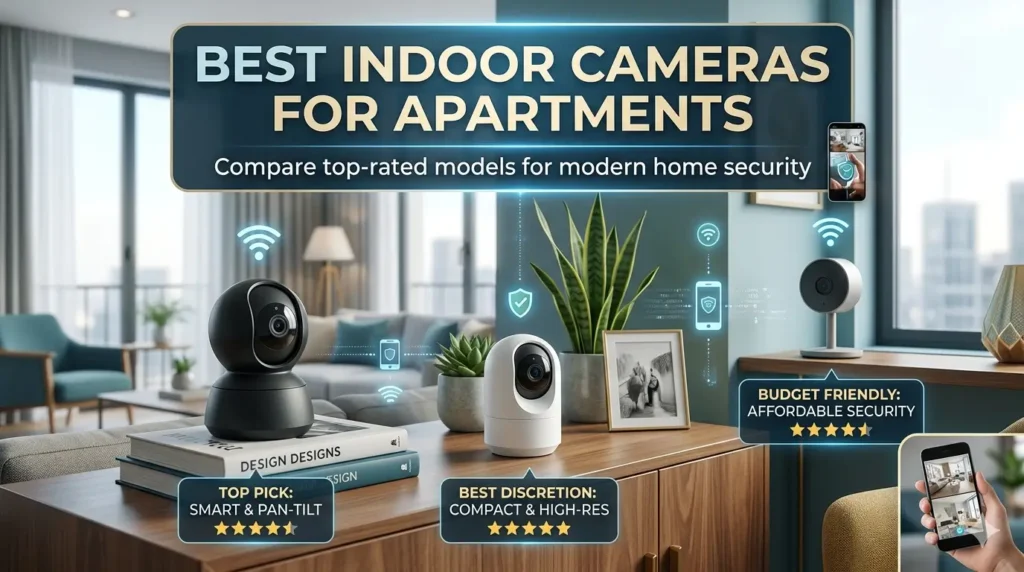
Our Top Picks at a Glance
| Camera | Price | Resolution | Subscription Needed? | Best For |
|---|---|---|---|---|
| Google Nest Cam Indoor (Wired, 3rd Gen) | ~$100 | 2K HDR | Optional | Best Overall |
| eufy Indoor Cam E30 | ~$60 | 4K | No | Best No-Subscription |
| Wyze Cam v4 | ~$36 | 2.5K | Optional | Best Budget |
| Arlo Essential Indoor (3rd Gen) | ~$40 | 2K | Optional | Best Privacy Features |
| Blink Mini 2 | ~$40 | 1080p | Optional | Best for Amazon/Alexa Homes |
| SimpliSafe Indoor Camera | ~$100 | 1080p HD | Recommended | Best for Renters Who Move |
Why Apartment Cameras Have Different Rules
Before you choose any indoor camera, it’s worth understanding what distinguishes an apartment setup from a freestanding home. Three issues dominate every buying decision:
Installation constraints. Virtually every lease agreement prohibits modifications that damage walls or door frames. That means cameras requiring hardwired power runs, ceiling mount drilling, or structural anchoring are off the table for most renters. The best apartment cameras either sit on tabletops and shelves without any mounting hardware, use lightweight adhesive mounts, or require only a single small screw.
Subscription costs. The sticker price on a security camera is rarely the full cost. A $40 camera with a $10/month subscription ends up costing $160 in its first year. We pay close attention to what each camera can do without a paid plan — because for renters on tighter budgets, free tiers matter enormously.
Privacy and portability. Unlike a fixed home system, your apartment camera should follow you when you move. Cameras that are landlord-ecosystem-locked or require proprietary infrastructure that can’t be relocated are poor choices for renters. Cameras with a physical privacy shutter — which mechanically covers the lens when the system is disarmed — offer an extra layer of trust in shared living arrangements.
Best Indoor Cameras for Apartments: Full Reviews
🥇 1. Google Nest Cam Indoor (Wired, 3rd Gen) — Best Overall
Price: ~$99.99 (street price often $69–$80) | Resolution: 2K HDR (2560×1440) | Storage: 6 hours free cloud + Google Home Premium subscription | Works With: Google Home, Amazon Alexa
The third-generation Nest Cam Indoor arrived in fall 2025 with two meaningful upgrades over its predecessor: a jump to 2K HDR resolution and a 152-degree diagonal field of view that’s wide enough to cover an entire living room or open-plan studio in a single frame. It connects to both 2.4 GHz and 5 GHz Wi-Fi and charges over USB-C, which keeps the cable tidy and easy to manage without wall modifications.
What genuinely separates the Nest Cam from competitors in this tier is what you get for free. Without spending a dollar on a subscription, you receive six hours of rolling cloud video history, accurate person detection, and customizable activity zones. That puts it ahead of Ring (which paywalls most smart detection) and Arlo (which requires a subscription for AI-powered alerts). Google has also integrated Gemini into the Google Home app, so you can search your video history using natural language — asking, for example, “show me every time someone entered the living room today” — a feature that works well in testing and feels genuinely useful, not just gimmicky.
The 3rd Gen Nest Cam is decidedly renter-friendly. It ships with a magnetic mount and a screw-in wall plate — for apartment use, the magnetic base works perfectly on any metal surface, and the camera can sit on a shelf, bookcase, or entertainment unit without any mounting at all. The 10-foot attached USB-C cable can be routed discreetly along baseboards or furniture edges.
What we love: Wide 152° FOV covers large rooms in one frame; six hours of free cloud storage is the most generous in its class; Gemini AI search is genuinely useful; one of the simplest setups in the category; available in multiple colors.
What to watch out for: Full AI feature set (longer video history, familiar face detection) requires a Google Home Premium subscription at ~$8/month. The camera is wired-only, so you’ll need a power outlet within the cable’s range.
Bottom line: For most apartment renters who want the best overall indoor camera without daily subscription anxiety, the Nest Cam Indoor 3rd Gen is the easy recommendation.
🥈 2. eufy Indoor Cam E30 — Best for No-Subscription Monitoring
Price: ~$59.99 | Resolution: 4K UHD | Storage: Local microSD (no subscription required for core AI) | Works With:Amazon Alexa, Apple HomeKit, Google Assistant
If paying a monthly fee for camera features you already bought feels wrong, the eufy Indoor Cam E30 is the camera you’ve been waiting for. Its headline is simple: 4K resolution, person detection, pet detection, AI auto-tracking, and color night vision — all working without any cloud subscription whatsoever.
The E30 records to a local microSD card (up to 512GB), which means your footage stays on-device and never transits a cloud server you don’t control. Consumer Reports rates the E30’s data security as “very good,” and eufy’s local-first architecture is a genuine differentiator in a market where most competitors default to cloud-dependence. For apartment renters uncomfortable with their footage being stored on third-party servers, that matters.
Video quality is the E30’s showpiece. At 4K, it resolves enough detail to read text and identify faces at distances that a 1080p camera would render as a blur. The built-in spotlight delivers up to 16.4 feet of full-color visibility in complete darkness — far surpassing infrared-only night vision in terms of practical identification. Auto-tracking follows moving subjects across the frame smoothly, making it particularly effective in larger studio apartments or open-plan layouts where a single camera covers a long sightline.
The camera sits on an adjustable tabletop stand or can be wall-mounted with a single screw. It measures compact enough (roughly the size of a large apple) to disappear against a bookshelf or windowsill. Full triple ecosystem compatibility — Alexa, Google Home, and Apple HomeKit — means it plays nicely with whatever smart home infrastructure you already own.
What we love: 4K video at a mid-range price; zero subscription required for core smart detection; full HomeKit/Alexa/Google compatibility; local microSD storage keeps footage private; auto-tracking works reliably.
What to watch out for: eufy has faced data privacy controversies in the past; the 125° field of view is narrower than the Nest Cam’s 152°, so very large rooms may need two units. Local storage means footage is lost if the card is stolen or damaged unless you opt into eufy’s paid cloud backup.
Bottom line: If subscription avoidance is your top priority and you want the best-in-class video resolution for the price, the E30 delivers in ways that few cameras at twice the price can match.
🥉 3. Wyze Cam v4 — Best Budget Pick
Price: ~$35.98 | Resolution: 2.5K (1440p) | Storage: microSD local storage free; cloud via Cam Plus ($1.99/month) | Works With: Amazon Alexa, Google Assistant
The Wyze Cam v4 remains the gold standard for budget security cameras in 2026. At under $36, it offers 2.5K resolution, color night vision via a starlight sensor (which captures genuine color detail in very low ambient light, not just IR grey-green), and a versatile magnetic base that sticks to any metal surface or can be repositioned in seconds.
The v4 is genuinely useful straight out of the box without a subscription. You can record continuously to a local microSD card, stream live footage, and receive basic motion alerts without paying a cent. Upgrading to Cam Plus ($1.99/month per camera) unlocks smart person, package, vehicle, and pet detection, along with Wyze AI events — a reasonable add-on, but clearly optional. For renters watching their budgets, the free tier is functional.
The wired design is a fair tradeoff for apartment use. For indoor placement on a shelf, desk, or windowsill, the wired connection is arguably more reliable than battery models that need periodic recharging and can miss events if they run low. The cable is discreet, and the magnetic base means the camera can be repositioned without any hardware.
One important caveat: Wyze experienced a security disclosure controversy in 2022 regarding an unpatched camera vulnerability. The company has since improved its security practices and disclosure policies, but it remains a mark on the brand’s security reputation worth noting when deciding where in your home to deploy these cameras.
What we love: Outstanding value at under $36; 2.5K resolution beats most competitors in this price tier; genuine color night vision via starlight sensor; magnetic base makes repositioning effortless; free local recording doesn’t require any subscription.
What to watch out for: Historical security vulnerability disclosure concerns; wired-only (no battery option); smart detection requires a paid subscription; 2.4 GHz Wi-Fi only (no 5 GHz).
Bottom line: For renters who want the most camera per dollar and don’t mind the lack of battery-powered flexibility, the Wyze Cam v4 is the most compelling sub-$40 indoor camera available.
4. Arlo Essential Indoor (3rd Gen) — Best for Privacy-Conscious Renters
Price: $39.99 (HD) / ~$59.99 (2K) | Resolution: 1080p HD or 2K | Storage: Cloud (Arlo Secure subscription) | Works With: Amazon Alexa, Google Assistant, Apple HomeKit
Arlo’s Essential Indoor 3rd Gen makes one feature the centerpiece of its pitch: a physical automated privacy shutter that mechanically covers the lens whenever the camera is disarmed. For apartment renters who share their space — with roommates, guests, or anyone uncomfortable with a live camera — being able to see a physical lens cover engaged is a level of confidence that software-only privacy modes simply can’t match. Neither Google nor Amazon offer this in their competing models at a comparable price.
The 3rd Gen model brings the Essential Indoor lineup to $39.99 for the HD version and roughly $59.99 for the 2K variant, representing a dramatic price reduction from earlier Arlo generations that cost $99.99. The camera sits on a compact stand for tabletop placement or can be wall-mounted. Setup takes about five minutes in the Arlo Secure app, which also handles the privacy shutter scheduling automatically based on your home/away status.
Without a subscription, the Arlo Essential Indoor offers live view and basic motion notifications. The Arlo Secure subscription — starting at $4.99/month for a single camera — unlocks intelligent person, package, vehicle, and pet detection, smart activity zones, and 30 days of cloud video storage. For a single-camera apartment setup, that’s a manageable ongoing cost that keeps the total system price competitive.
What we love: Physical privacy shutter is the most renter-friendly privacy feature in the category; compact and well-built; easy tabletop or wall placement; Apple HomeKit support for premium tier; setup is genuinely fast.
What to watch out for: Smart detection and cloud storage require a subscription; base subscription cloud storage is 30 days but limited AI features; 2.4 GHz Wi-Fi only.
Bottom line: If you share your apartment or simply value physical privacy assurance over a software setting, the Arlo Essential Indoor’s automatic lens shutter is worth the modest premium over budget alternatives.
5. Blink Mini 2 — Best for Amazon/Alexa Households
Price: ~$39.99 (frequently on sale for $20–$30) | Resolution: 1080p HD | Storage: Cloud (Blink subscription $3/month) or local USB with Sync Module 2 | Works With: Amazon Alexa
The Blink Mini 2 earns its place on this list through three qualities: an extremely low street price, deep Amazon Alexa integration, and a setup experience that genuinely takes under three minutes. For renters who are already invested in the Amazon ecosystem — Echo devices, Ring doorbells, Fire TVs — the Mini 2 fits into that ecosystem more seamlessly than any competitor.
The Mini 2 represents a genuine upgrade over its predecessor. It now features color night vision via a built-in spotlight above the lens, a wider field of view, and a compact form factor small enough to disappear behind a potted plant or tuck onto a bookshelf. The 1080p resolution is the lowest on this list, but it’s more than adequate for the typical 8-to-12-foot range across a studio or one-bedroom living room. Faces are recognizable, license plates are readable at close range, and the alert speed is fast.
Subscription structure matters here: Blink’s cloud plan costs just $3/month per camera ($30/year), or $10/month for unlimited cameras at one address — the lowest cloud subscription pricing in the category. Alternatively, adding a Blink Sync Module 2 (~$35, sold separately) and a USB thumb drive enables local storage without any monthly fees, making Blink one of the few systems that offers a genuinely subscription-free path using affordable hardware.
What we love: Extremely low price with frequent discounts; best-in-class Amazon Alexa integration; cheapest cloud subscription in the category ($3/month); tiny form factor hides anywhere; local storage possible with Sync Module 2; fast person detection alerts.
What to watch out for: 1080p resolution is the lowest on this list; no 5 GHz Wi-Fi; smart detection (person, pet) requires the paid subscription; local storage requires separately purchasing the Sync Module 2.
Bottom line: For renters deep in the Amazon ecosystem who want a discreet, low-cost indoor camera with minimal ongoing costs, the Blink Mini 2 is the easiest recommendation under $40.
6. SimpliSafe Indoor Camera — Best for Renters Who Move Frequently
Price: ~$99.99 (standalone) | Resolution: 1080p HD | Storage: Cloud (SimpliSafe monitoring plan) | Works With:Alexa, Google Assistant
SimpliSafe has built its entire product line around the apartment renter’s primary pain point: installation without damage. Every SimpliSafe component, including its indoor camera, mounts with peel-and-stick adhesives or free-standing placement — no drilling, no screws, no risking your security deposit. When you move, SimpliSafe even provides a free Mover’s Kit with fresh adhesive strips for reinstallation.
The SimpliSafe Indoor Camera is best understood as part of a system rather than a standalone device. It integrates tightly with SimpliSafe’s broader security ecosystem — door and window sensors, motion detectors, base stations — and with an active monitoring plan unlocks the brand’s unique Intruder Intervention feature: when a break-in is detected, a trained monitoring agent can speak directly through the camera’s speaker to warn intruders that police have been dispatched. This is a level of live deterrence that no other camera-only product on this list can replicate.
Standalone, the camera’s 1080p resolution and feature set don’t justify $100 against the Nest Cam or eufy E30. But if you’re building out a full apartment security system and want professionally monitored protection without permanent installation, SimpliSafe’s camera earns its premium position in that specific context.
What we love: Zero-damage installation with peel-and-stick mounts; free Mover’s Kit for relocation; Intruder Intervention is a genuinely powerful deterrence feature; easy system expansion; one of the most renter-designed systems on the market.
What to watch out for: Requires a SimpliSafe monitoring subscription to unlock its best features; 1080p resolution is basic for the price; most compelling as part of the broader SimpliSafe ecosystem, not as a standalone camera.
Bottom line: If you’re a frequent mover who wants professionally monitored security that travels with you, SimpliSafe’s ecosystem is the most thoughtfully designed solution for apartment renters.
How We Chose: Buying Guide for Apartment Renters
Resolution: What You Actually Need
In 2026, 1080p is the floor — acceptable for basic monitoring in a small room at close range, but it struggles with digital zoom and faces at any real distance. 2K (2560×1440) is the practical sweet spot for apartments: sharp enough to identify faces across a studio living room, crop into a wide-angle frame, and produce readable screenshots without bloating file sizes. 4K is excellent if subscription-free local storage is your plan, since the files are significantly larger and cloud storage costs escalate.
Field of View: More Important Than Resolution
A wide field of view means fewer cameras needed. In a typical apartment — where most rooms are 10–20 feet across — a 150°+ field of view can cover a living room from a single corner placement. Cameras in the 110–130° range may require two units to cover a larger open-plan space. Prioritize FOV alongside resolution; a 2K camera with a 130° lens will cover less useful area than a 2K camera with a 152° lens.
Subscription Costs: Calculating the True Price
| Camera | Camera Price | Annual Sub Cost (basic) | Year-1 Total |
|---|---|---|---|
| Google Nest Cam Indoor 3rd Gen | ~$100 | $0 (free tier) / ~$96 (Premium) | $100–$196 |
| eufy E30 | ~$60 | $0 | $60 |
| Wyze Cam v4 | ~$36 | $0 / ~$24 (Cam Plus) | $36–$60 |
| Arlo Essential Indoor | ~$40–$60 | ~$60 (Secure) | $100–$120 |
| Blink Mini 2 | ~$40 | $36 (cloud) / $0 (local w/ Sync Module) | $40–$76 |
| SimpliSafe Indoor | ~$100 | Monitoring plan required | $200+ |
Apartment-Specific Installation Tips
- Tabletop-first: Most of these cameras can sit on a bookshelf, entertainment unit, or windowsill without any mounting hardware. Try this first before reaching for an adhesive.
- Command strips work well for lightweight cameras. Heavy cameras (over 200g) tend to pull adhesive mounts off smooth walls over time; the Nest Cam, Wyze v4, and Arlo Essential are all light enough for adhesive mounting.
- Avoid mounting near doors where roommates might accidentally relocate the camera. High shelves (5–6 feet up) give a better angle and reduce interference.
- Cable management: Use adhesive cable clips or cable raceways to run power cords discreetly along baseboards. Both are removable without wall damage.
Privacy Laws and Apartment Cameras
Laws governing indoor security cameras vary by state and country, but a few universal rules apply. You can legally monitor your own apartment in areas where you have a reasonable expectation of privacy — living rooms, kitchens, and entry points. You generally cannot record audio without consent in two-party-consent states (California, Florida, Illinois, and others). Cameras in bedrooms or bathrooms, even in your own home, carry significant legal and ethical risk. In shared apartments, consider a physical privacy shutter (the Arlo Essential’s standout feature) or a camera with an easily accessible privacy mode.
Smart Home Ecosystem Compatibility
- Google Home users: Nest Cam Indoor integrates most deeply, with Gemini AI search, Google Home routines, and Nest Aware.
- Amazon Alexa users: Blink Mini 2 offers the tightest integration; Ring cameras also work seamlessly.
- Apple HomeKit users: Arlo Essential (higher tiers) and eufy E30 offer native HomeKit support. The Nest Cam does not natively support HomeKit.
- Neutral/no ecosystem: eufy E30 and Wyze Cam v4 work well across all three ecosystems and are solid choices if you don’t want to be locked into one platform.
Frequently Asked Questions
Can my landlord say I can’t have a security camera inside my apartment? Generally, no. Landlords have little legal authority over what you do inside your own unit, particularly with cameras that don’t require modifications to the structure. However, common areas — hallways, lobbies, shared courtyards — are a different matter. Always check your lease, and avoid any cameras that face hallways or neighbors’ units from a window, as local laws vary on external-facing recording.
Do indoor cameras require a monthly subscription? Not necessarily. The eufy E30 delivers person and pet detection with local storage and no required subscription. Wyze Cam v4 handles live view and basic motion alerts for free. Blink Mini 2 can use local USB storage via Sync Module 2 without ongoing fees. Google Nest Cam provides six hours of free rolling cloud history without a subscription.
What’s the best camera for a studio apartment? For a studio apartment, the wide 152° field of view on the Google Nest Cam Indoor (3rd Gen) can cover most of the usable floor space from a single corner placement. This is especially useful in studios where you don’t want multiple cables and devices.
Will a security camera deter theft or break-ins in an apartment? Research consistently shows that visible security cameras do deter opportunistic theft — burglars generally prefer targets with no deterrence. More practically, interior cameras are effective at documenting package theft by delivery personnel, catching unauthorized entry by maintenance staff (which does occur), and settling disputes with roommates or guests. For apartment renters, the deterrence value is secondary; documentation is the primary use case.
How do I prevent my camera from being hacked? Use cameras from established brands that issue regular firmware updates. Enable two-factor authentication (2FA) on your camera account. Change default passwords immediately upon setup. Keep your home Wi-Fi on WPA3 or WPA2 encryption and consider placing cameras on a separate IoT network. Cameras from Google (Nest) and eufy (local storage) have stronger security reputations in recent testing, while Wyze has a documented past disclosure issue worth noting.
The Bottom Line
For most apartment renters, the Google Nest Cam Indoor (Wired, 3rd Gen) is the camera to beat in 2026 — it combines 2K HDR video, a genuinely wide 152° field of view, and six hours of free cloud storage in a compact package that sits on any shelf without modification. If you’d rather avoid a subscription entirely, the eufy Indoor Cam E30 delivers 4K resolution and AI detection without a single monthly charge. And if budget is the priority, the Wyze Cam v4 at around $36 remains the most capable under-$40 indoor security camera available today.
Whatever you choose, the best apartment camera is the one you’ll actually use consistently — positioned well, with alerts configured, and ready to document the unexpected.
Affiliate Disclosure: This article contains affiliate links. If you purchase through our links, we may earn a commission at no additional cost to you. Our editorial recommendations are independent of affiliate relationships.
Prices listed reflect approximate street prices as of June 2026 and may vary by retailer. Always verify current pricing before purchasing.
Check on Amazon best indoor cameras
⭐ Customer Ratings
4.5 out of 5 stars (based on 2 reviews)
📝 Leave Your Review
📌 All Customer Reviews
IiCScybNtqgwbvjY
September 9, 2026
8819398276
No Title
May 10, 2026
NOTE: As an Amazon Associate, We earn from qualifying purchases