We are Reader-supported: We earn commissions through links at no extra cost to you. Details.
By the Editorial Team | Updated June 5, 2026 | 12–14 minute read
How to Choose the Most Reliable Security Camera
Quick Summary: The best security camera for your home depends on where you’ll place it, how much you want to spend on ongoing costs, and which smart home ecosystem you already use. This guide breaks down every major decision—resolution, power, storage, AI detection, and privacy—so you can buy with confidence.
Quick Camera Recommendations
Short on time? Here is a quick breakdown of our top-recommended cameras for 2026 based on specific use cases.
| Use Case | Recommended Camera | Key Highlight |
|---|---|---|
| Best Overall | Google Nest Cam Indoor (Wired, 3rd Gen) | 2K sensor, 6 hours free on-device storage |
| Best Budget | Wyze Cam v4 | 1440p resolution, excellent color night vision |
| Best Outdoor (No Subscription) | Reolink Argus 4 Pro | Dual-lens 180° panoramic view, solar charging |
| Best for Apple Users | Eufy Indoor Cam C120 | Full HomeKit Secure Video support, local processing |
| Best Floodlight | Ring Floodlight Cam Wired Pro | 1080p HDR, 1,800 lumens, deep Alexa integration |
1. Why This Decision Matters in 2026
The home security camera market has matured dramatically. What was once a sea of grainy, hard-to-install hardware is now a sophisticated ecosystem of AI-powered cameras with 4K sensors, solar charging, on-device processing, and deep smart home integration—many available for under $100.
But the abundance of options creates its own problem. Marketing claims like “military-grade,” “crystal clear,” and “zero subscription fees” are applied so liberally that they’ve become nearly meaningless. More importantly, the wrong camera can saddle you with a monthly cloud fee that costs more than the device over time, create a privacy liability in your own home, or simply fail to cover the angle that matters most.
How We Evaluate Security Cameras
To provide you with a reliable framework, we evaluate cameras using an objective methodology based on hands-on industry testing data, manufacturer specifications, and independent lab reports:
- Video Quality & Night Vision: Assessing clarity, sensor size, and low-light performance.
- AI Detection Accuracy: Testing real-world response times and false-alert rates.
- Storage & Ongoing Costs: Evaluating cloud dependency vs. local storage capabilities.
- Privacy Practices: Verifying data encryption, app permissions, and corporate data security histories.
- Smart Home Ecosystem Integration: Testing cross-platform functionality (Alexa, Google Home, Apple HKSV, and Matter).
2. Step 1: Indoor vs. Outdoor – Start Here
The single most important decision isn’t brand or resolution—it’s placement. Indoor and outdoor cameras are engineered for fundamentally different environments.
Indoor Cameras
Designed for controlled environments like living rooms, nurseries, home offices, and entryways. They are typically compact, plug-in devices.
- Privacy Modes: Many 2026 models include a physical privacy shutter or automated “home modes” that disable recording when you’re home.
- Two-Way Audio: Standard capability allowing you to talk through the camera via an app.
- Pan-and-Tilt: Allows the camera to rotate horizontally and vertically to track motion across large open-plan spaces.
[Visual Placeholder: Image of a sleek, compact indoor camera with an active privacy shutter sitting on a living room shelf]
Outdoor Cameras
Built to withstand rain, extreme temperatures, dust, insects, and direct sunlight.
- IP Weather Ratings: Look for an IP65 or IP67 rating. The first digit (6) indicates complete dust protection; the second indicates water resistance (5 for water jets, 7 for immersion up to 1 meter). For residential use, IP65 is sufficient.
- Vandal-Resistant Designs: Dome cameras are much harder to reorient or disable than traditional box cameras.
- Flexible Power Options: Solar and battery designs eliminate the need to drill through exterior walls.
[Visual Placeholder: Image of an outdoor dome security camera mounted on a house corner, enduring rainfall]
Editor’s Note: Don’t assume an outdoor camera can double as an indoor one. While technically possible, outdoor cameras often lack the aesthetic subtlety and privacy shutters appropriate for living spaces.
3. Step 2: Resolution – Detail vs. Storage
Resolution is heavily marketed, but a higher number does not automatically guarantee better footage. Sensor quality and lens aperture matter just as much.
| Resolution | Best Used For | Pros | Cons |
|---|---|---|---|
| 1080p (Full HD) | Close-range monitoring, small rooms | Budget-friendly, low storage needs | Lacks detail at a distance |
| 2K (1440p) | Most residential homes & driveways | Sweet spot of facial detail and balanced bandwidth | Higher storage demands than 1080p |
| 4K (8MP) | Large yards, expansive properties | Highest detail; allows digital zoom without blurring | High storage/bandwidth demands |
| 5MP / 6MP | Professionally installed NVR systems | Excellent balance of elite quality and local storage | Usually requires hardware hubs |
4. Step 3: Power Source – Wired vs. Battery vs. Solar
How your camera gets power shapes its installation complexity and long-term reliability.
- Wired (Plug-In or PoE): Draws continuous power from an outlet or Ethernet cable. Pros: Unlimited runtime, supports 24/7 recording. Cons: Installation complexity; may require professional help.
- Battery-Powered: Premium 2026 models offer 6–12 months of battery life using PIR motion sensors. Pros: Truly wireless; ideal for renters. Cons: Motion-trigger only; events can be missed.
- Solar-Powered: Pairs a panel with a rechargeable battery. Just 3–4 hours of daily sun keeps it charged. Pros: Set-and-forget; ideal for remote locations. Cons: Needs sufficient sunlight; check panel wattage (at least 3W with a 5,000mAh+ battery).
[Visual Placeholder: Image showing a wireless outdoor security camera connected to a compact solar panel mounted on a roofline]
5. Step 4: Night Vision – IR vs. Color vs. Floodlights
The ultimate security test isn’t bright daylight—it’s what happens at 2:00 a.m.
- Traditional Infrared (IR): Floods the area with invisible IR light for crisp black-and-white footage. 2026 models feature 940nm “invisible” LEDs. Cost-effective and perfectly adequate.
- Color Night Vision: Uses large sensors and software for full-color footage in low light. Useful for identifying clothing or vehicle colors, but can be noisier in near-total darkness.
- Floodlight Cameras: Turns on a bright light (1,000–2,600 lumens). Provides the clearest nighttime video and acts as an active physical deterrent.
[Visual Placeholder: Side-by-side comparison image demonstrating grainy black-and-white IR night vision versus crisp Color Night Vision]
6. Step 5: Storage & The True Cost of Ownership
Storage is where many buyers get hit with a nasty surprise. A cheap $50 camera can come with a mandatory cloud subscription that quietly costs hundreds over a few years.
The Subscription Cost Calculator
Before committing to a brand, evaluate the long-term price of cloud plans:
| Monthly Fee Tier | 3-Year Cost | 5-Year Cost (Lifespan) |
|---|---|---|
| $3 / month (Single Camera Baseline) | $108 | $180 |
| $10 / month (Multi-Camera Basic) | $360 | $600 |
| $20 / month (Multi-Camera Premium Plan) | $720 | $1,200 |
- Cloud Storage: Convenient and offers off-site redundancy, but creates subscription dependency.
- Local Storage: Stores footage on microSD cards (30–90+ days) or an NVR hub. Higher upfront cost ($150–$300) but eliminates monthly fees.
- Hybrid Approaches: Brands like Eufy use local hubs (e.g., HomeBase) for the convenience of local storage without complex NVR setups.
7. Step 6: AI Detection & Smart Features
The single biggest quality-of-life improvement in modern security cameras is on-device AI processing, which drastically reduces false alarms.
Look for these essential smart features:
- Person Detection: Baseline standard; distinguishes humans from wind and shadows.
- Package Detection: Notifies you when a delivery is placed—and when it is removed.
- Vehicle & Pet Detection: Identifies cars or monitors household pets.
- Activity Zone Customization: Allows you to block out busy public streets so you only record your property.
8. Step 7: Camera Placement Guide
To maximize your home coverage, we recommend a strategic layout. A typical single-family home is well-served by 3 to 5 cameras.
text
                      [ Front Door ]
                (FOV: 110° - 130°)
                       /        \
                      /          \
    [ Driveway / Garage ]      [ Side Entrance ]
     (FOV: 130° - 150°)       (FOV: 90° - 110°)
                      \          /
                       \        /
                     [ Backyard ]
(FOV: 150° - 180°)- Front Door: 110°–130° FOV for facial identification.
- Driveway & Garage: 130°–150° FOV to capture vehicles and plates.
- Backyard: 150°–180° panoramic FOV or a PTZ camera for auto-tracking.
- Side Entrances: 90°–110° FOV for narrow paths.
9. Top Camera Picks by Use Case (2026)
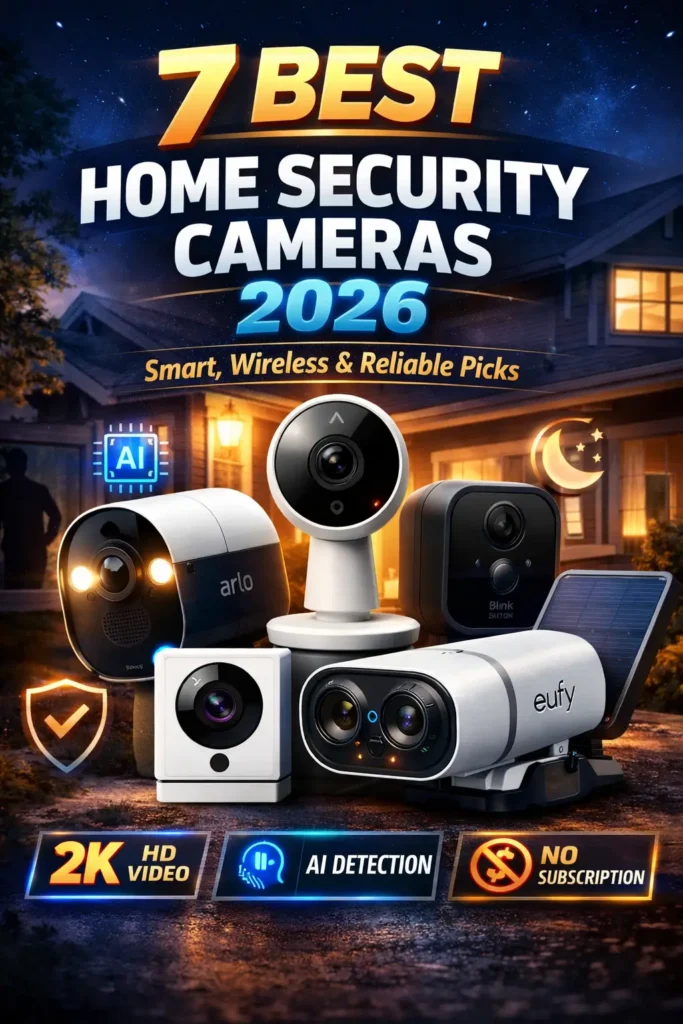
- Best Overall – Google Nest Cam Indoor (Wired, 3rd Gen): Seamless Google Home integration, 2K sensor with a 152° FOV, includes 6 hours of free on-device storage. Cons: Advanced features require a subscription.
- Best Budget – Wyze Cam v4: Incredible value, upgraded 1440p sensor with excellent color night vision, generous free tier. Cons: Some features require a Cam Plus plan; shorter build lifespan.
- Best Outdoor (No Subscription) – Reolink Argus 4 Pro: Dual-lens 180° panoramic view, native solar charging, zero mandatory ongoing costs. Cons: Larger physical footprint; more manual app setup.
- Best for Apple Users – Eufy Indoor Cam C120: Full Apple HomeKit Secure Video (HKSV) support, local processing, sharp 2K resolution. Cons: HKSV caps streams at 1080p.
- Best Floodlight – Ring Floodlight Cam Wired Pro: 1080p HDR sensor with 1,800 lumens of light, advanced 3D motion tracking, deep Alexa integration. Cons: Strict hardwired installation required.
10. Red Flags to Avoid When Shopping
- Subscription-Gated Motion Alerts: Avoid brands that block basic motion notifications behind a paywall.
- No Explicit Encryption Standards: If AES 256-bit or end-to-end encryption isn’t clearly stated, assume your data is vulnerable.
- Unrated Outdoor Gear: Never buy an outdoor camera without an official IP65 rating or higher.
- Unknown OEM Brands: If you can’t find a physical address, clear warranty, and customer support, pass. Your footage depends on a vendor that might not exist next year.
11. Frequently Asked Questions
Do I need professional installation?
Most modern Wi-Fi, battery, and solar cameras are DIY-friendly (15–30 minutes). PoE systems or hardwired floodlights generally require an electrician.
What is the Matter protocol?
It’s a smart home standard for cross-platform interoperability. Look for Matter compatibility if you want a camera that works seamlessly with Apple, Amazon, and Google ecosystems simultaneously.
Is my facial recognition data secure?
Many 2026 cameras offer local facial recognition. Ensure your chosen brand processes and stores these biometric templates locally on the device, not on corporate cloud servers.
The Bottom Line
Start your search with placement (indoor vs. outdoor), then lock down your power source. Most importantly, decide on your storage strategy before committing to a brand—subscription models can quickly outprice the hardware itself. Prioritize high-quality local AI processing over empty megapixel counts, and always protect your home privacy.
Ready to Buy?
If you are ready to secure your home with top-tier, independently tested protection, dive into our comprehensive, head-to-head performance rankings:
- Best Home Security Cameras of 2026
- Best Outdoor Security Cameras of 2026
- Best Indoor Cameras for Apartments
- Best Security Cameras Without Subscription (2026)
The Best No-Drill DIY Home Security Cameras (Easy 30-Minute Setup)
About Us: Our editorial team independently researches, compares, and evaluates consumer security hardware using technical manufacturer data, public cybersecurity registries, and hands-on independent lab evaluations. We do not manufacture or retail security products. To support our testing, some links in this article may contain affiliate codes that earn our channel a minor commission at no extra cost to you.
⭐ Customer Ratings
4.5 out of 5 stars (based on 2 reviews)
📝 Leave Your Review
📌 All Customer Reviews
IiCScybNtqgwbvjY
September 9, 2026
8819398276
No Title
May 10, 2026
NOTE: As an Amazon Associate, We earn from qualifying purchases